One tap on your home screen. Everything you need the week of the conference.
This website was for planning. The app is where the Summit actually happens: live agenda, every speaker, the full attendee directory, and announcements the moment they go out. Add it to your home screen below, then leave this site behind.
Opens at msihrsummit.com/app · works offline once installed
Do this part on your phone or iPad, not a desktop or laptop. On a computer right now? Text yourself this link: msihrsummit.com/get-the-app
Did you open this link from Outlook, Teams, or another app? Tap the ••• or ⋮ in the corner and choose Open in Safari on iPhone, or Open in Chrome on Android, before you start. Those apps open links in their own built-in browser, and that browser has no Add to Home Screen option at all. It is the single most common reason the steps below look like they are missing.
Add To Home Screen
Takes about fifteen seconds.
Find your device below. Once it's added, tap the new icon on your home screen any time, no need to come back to this page.
iPhone & iPad
Your device
I
Open msihrsummit.com/app in Safari. It has to be Safari, not Chrome and not a browser inside another app.
II
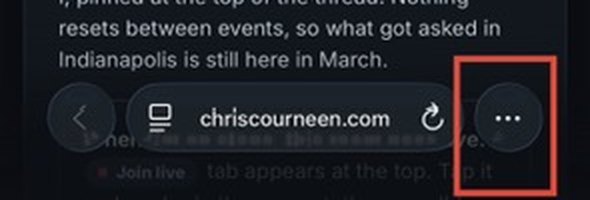
Tap the ••• button at the bottom right of the toolbar.
The ••• button, bottom right
III
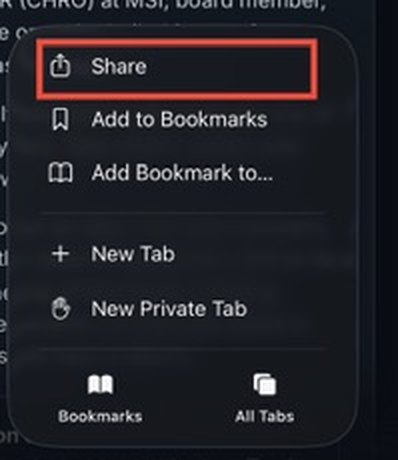
Tap Share. If your toolbar shows a Share icon directly, a square with an arrow pointing up, tap that instead and skip to the next step.
Tap Share
IV
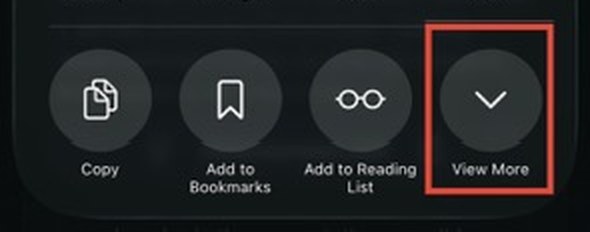
The share sheet opens showing only a few options. Tap View More to see the rest.
This is the step people miss
V
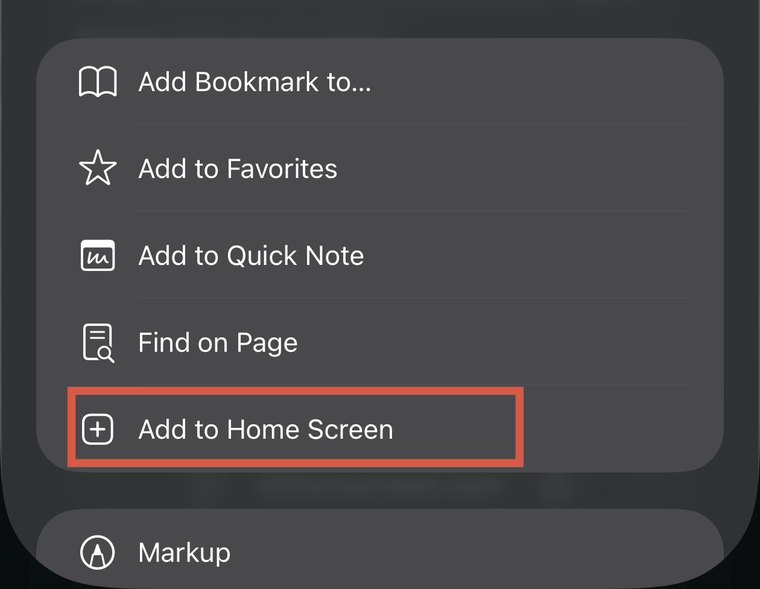
Tap Add to Home Screen.
Add to Home Screen
VI
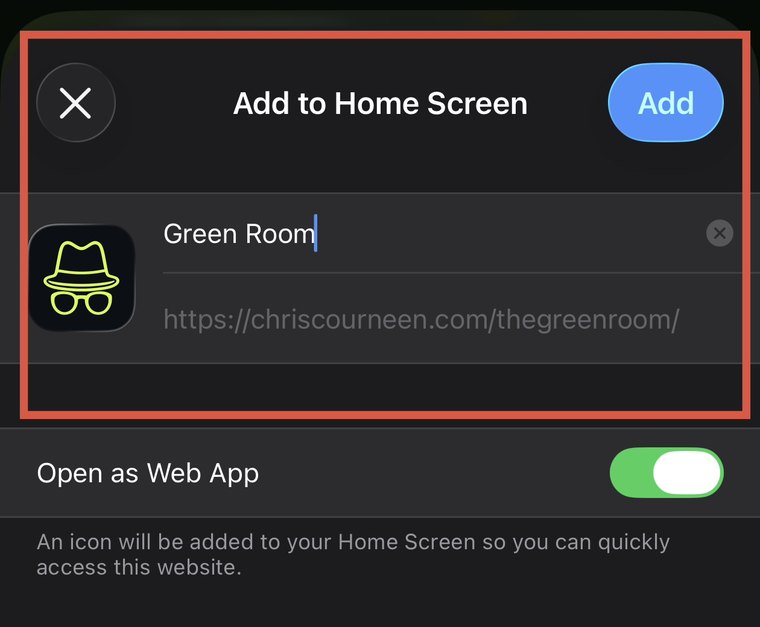
Leave Open as Web App switched on, that is what makes it launch full screen like a real app, then tap Add in the top right. The HR Summit icon now lives on your home screen.
Open as Web App stays on, then tap Add
Android
Your device
I
Open msihrsummit.com/app in Chrome.
II
Chrome will often offer to install it on its own. If a bar slides up from the bottom asking to install, tap it and you are done. If nothing appears, carry on below.
III
Tap the ⋮ menu. It sits in the top right corner, unless you have moved Chrome's address bar to the bottom of the screen, in which case look bottom right.
Top right, or bottom right if you moved your address bar
IV
Tap Add to Home screen. Some versions of Chrome name this Install app and take you straight to the next step.
The item you are looking for
V
Tap Install in the sheet that appears, which on some versions reads Install app. The HR Summit icon now lives on your home screen, and it opens full screen like a real app rather than in a browser tab.
Check it says MSI HR Summit, then install
Why Switch
Built for the week, not just for planning it.
Always current
Session times, room changes, and announcements update in the app the moment they're confirmed. No refreshing, no re-checking a link someone forwarded you.
One tap away
Lives on your home screen like any other app, no browser bar, no bookmarks folder to dig through between sessions.
Works without signal
Once it's added, the agenda and speaker profiles are there even if the venue's Wi-Fi isn't cooperating.
Ready When You Are
Add it now, thank yourself on Day One.
Once it's on your home screen, this website has done its job.